Executive Summary (2026 Financial Guide): ERPNext in Finance delivers an enterprise-grade accounting and financial management operating system that unifies general ledger accounting, accounts receivable/payable, multi-currency revaluation, fixed asset depreciation, and statutory tax compliance into a single real-time ledger. Unlike traditional desktop bookkeeping tools (such as Tally or basic spreadsheets) that operate as passive historical recorders, ERPNext functions as an active financial control center—automatically posting double-entry transactions directly from sales checkouts, factory work orders, and warehouse inventory dispatches. As the certified official partner for ERPNext in Bangladesh, Invento Software Limited presents this complete financial architecture and setup manual for CFOs, financial controllers, and ERP implementation teams.
On This Page: The Complete ERPNext Finance & Accounting Guide
- ERPNext Core Financial Architecture: Immutable Double-Entry Ledgers
- 2026 Master Comparison: ERPNext Finance vs. Tally vs. QuickBooks vs. SAP
- Step-by-Step Financial Setup & Configuration Guide
- End-to-End Enterprise Financial Workflows (O2C & P2P)
- Fixed Asset Lifecycle Management & Automated Depreciation
- Bangladesh Fiscal Localization: NBR Mushak VAT & TDS Automation
- Real-Time Financial Statements & Executive Closing Analytics
- Frequently Asked Questions (FAQ)
- Next Step: Consult with Certified ERPNext Financial Architects
ERPNext Core Financial Architecture: Immutable Double-Entry Ledgers
At its foundational core, the ERPNext financial module is governed by the General Ledger (GL Entry) DocType. Every commercial event across the enterprise—whether confirming a customer invoice, receiving raw materials in a warehouse, or paying a vendor voucher—generates balanced, atomic debit and credit entries in the GL. This strict immutability ensures that debits always equal credits, eliminating the balance sheet errors common in fragmented software environments.
Unlike standalone accounting packages that require manual journal vouchers to reflect warehouse stock changes, ERPNext uses Perpetual Inventory Valuation. When inventory moves from a receiving dock to a factory floor, the system automatically adjusts inventory valuation accounts against Cost of Goods Sold (COGS) in real time. To explore foundational ERP principles, review our guide on what is ERP and how does it work and our ERPNext step-by-step setup manual.
2026 Master Comparison: ERPNext Finance vs. Tally vs. QuickBooks vs. SAP
Evaluating an enterprise financial migration requires understanding how ERPNext compares against legacy desktop accounting tools and proprietary enterprise suites:
| Evaluation Dimension | Tally Prime | QuickBooks Online | ERPNext Finance | SAP Business One |
|---|---|---|---|---|
| Software Licensing Cost | Perpetual / Annual TSS | $30 – $200 / month | BDT 0 (100% Free Open-Source Core) | $100 – $250+ / user / month |
| Multi-Company Consolidation | Manual group company setup; slow consolidation | Requires separate paid subscription per company | Native unlimited parent-child company tree with 1-click consolidation | Native multi-company consolidation (High setup complexity) |
| Real-Time Inventory & COGS | Basic periodic inventory; no manufacturing BOM integration | Limited to simple retail FIFO; no production routing | 100% Perpetual Inventory linked to multi-level manufacturing BOMs | Full industrial perpetual inventory and scrap accounting |
| Parallel Finance Books | Not Supported | Not Supported | Supported; Maintain parallel IFRS and Local Tax ledgers seamlessly | Supported via parallel ledgers and posting segments |
| Bangladesh NBR VAT / TDS | Basic manual challans; high audit risk | No native Bangladesh localization | Automated Mushak 4.3/6.3/6.5/6.6 & corporate withholding ledgers | Custom partner add-on (Expensive local consulting) |
Step-by-Step Financial Setup & Configuration Guide
Below is the standard configuration workflow executed by Invento’s certified ERPNext financial architects when deploying financial systems for mid-market and enterprise corporations:
Step 1: Multi-Company Hierarchy & Chart of Accounts (COA)
In the Frappe search bar, type Company List and create your corporate entities. ERPNext allows you to structure companies into parent holding entities and subsidiary operating units. You can either import a standardized country-specific Chart of Accounts (e.g., Bangladesh Standard COA) or build a customized tree structured around five root types: Asset, Liability, Equity, Income, and Expense.
Step 2: Fiscal Year Setup & Period-Closing Rules
Under Fiscal Year, designate your 12-month operating window. In Bangladesh, the standard statutory fiscal calendar runs from July 1 to June 30, whereas multinational subsidiaries often operate on a calendar year (January 1 to December 31). ERPNext supports overlapping fiscal years across different subsidiary companies in the same system instance. Use the Period Closing Voucher at year-end to close profit and loss balances into Retained Earnings while locking previous accounting periods from backdated entries.
Step 3: Finance Books Architecture (IFRS vs. Local Tax Ledgers)
One of the most powerful architectural features in modern ERPNext is the Finance Book DocType. A Finance Book allows an enterprise to maintain parallel accounting ledgers for distinct reporting standards without duplicating transactions. For example:
- IFRS / Management Finance Book: Depreciates factory machinery based on estimated economic useful life (e.g., 10-year straight-line depreciation) for corporate board reporting.
- Tax / NBR Finance Book: Depreciates the identical asset according to statutory Third Schedule tax rates (e.g., accelerated initial depreciation allowances) for National Board of Revenue corporate tax filing.
Step 4: Cost Center Accounting & Budget Controls
To track granular divisional profitability, configure your Cost Center Tree (e.g., Dhaka HQ, Chittagong Plant, Retail Outlets, Marketing Department). Under Budget, set annual or monthly expenditure caps for specific expense accounts linked to a Cost Center. ERPNext can be configured to generate proactive warnings or hard-stop purchase order approvals whenever an expense threatens to exceed the approved budget threshold.
Step 5: Automated Bank Reconciliation & Statement Feeds
ERPNext eliminates manual month-end checkbook balancing. Using the Bank Clearance and Bank Reconciliation Statement tools, accountants upload electronic bank statements (CSV/OFX). The system automatically matches payment entries based on reference numbers, transaction dates, and exact amounts—highlighting outstanding uncleared cheques and deposits with zero manual calculation.
End-to-End Enterprise Financial Workflows (O2C & P2P)
ERPNext automates the two primary cash flow cycles of modern commerce:
- Order-to-Cash (O2C): Quotation → Sales Order → Delivery Note (Stock Valuation Credit) → Sales Invoice (Revenue Credit & AR Debit) → Payment Entry (Bank Debit & AR Credit). Customer credit limits are checked automatically at every step.
- Procure-to-Pay (P2P): Material Request → Purchase Order → Purchase Receipt → Purchase Invoice (AP Credit & Expense/Stock Debit) → Payment Entry (Bank Credit & AP Debit). Automated three-way matching validates that invoice quantities match purchase receipts and purchase orders before payments can be authorized.
For businesses engaged in cross-border procurement, explore our manual on import/export LC management in ERPNext and read our comprehensive analysis of ERP in supply chain management.
Fixed Asset Lifecycle Management & Automated Depreciation
Managing capital equipment, transport vehicles, and IT hardware is fully automated through the Asset module. Key capabilities include:
- Automated Depreciation Schedules: Support for Straight Line, Written Down Value (WDV), and Double Declining methods. Scheduled background workers post monthly depreciation journal entries automatically without human intervention.
- Asset Maintenance & Repair Logging: Tracks maintenance visits, warranty expiries, and capitalized repair costs.
- Asset Disposal & Scrap Accounting: Automatically calculates capital gains or losses when retiring or selling fixed assets, booking variances to designated P&L accounts.
Bangladesh Fiscal Localization: NBR Mushak VAT & TDS Automation
Invento Software Limited provides a specialized Bangladesh VAT Localization Suite engineered natively for ERPNext. Key fiscal automations include:
- NBR Mushak 6.3 Tax Invoices: Printed automatically at point-of-sale or dispatch bays with sequential serials and itemized HS code tax rates.
- Withholding VAT (Mushak 6.6) & TDS: Automated calculation of VAT Deducted at Source (VDS) and Tax Deducted at Source (TDS) on vendor payments, logging withholding liabilities and generating certificates with one click. Read our complete guide to Bangladesh VAT compliance and management.
- Statutory Payroll Tax Slabs: Fully integrated with the Bangladesh Labor Act 2006 (BLA) to calculate progressive income tax withholdings on employee salaries. Explore our guide to ERPNext HR & payroll modules and our review of the best HR and payroll software in Bangladesh.
Real-Time Financial Statements & Executive Closing Analytics
In traditional corporate accounting, closing the monthly accounts requires weeks of manual ledger balancing. In ERPNext, financial controllers generate instant, audit-ready statements 24/7:
- Balance Sheet & Profit & Loss: Generated in real time with dynamic drill-down to underlying journal vouchers and source documents.
- Cash Flow Statement: Both Direct and Indirect cash flow views tracking operating, investing, and financing activities.
- Accounts Receivable / Payable Aging: Instant visibility into 30, 60, and 90+ day debtor aging buckets.
- CFO Dashboard Visualizations: Number Cards and interactive charts tracking cash runway, liquidity ratios, and gross margin trends. Learn how to tailor executive screens in our guide to ERPNext dashboard customization and explore how customized software solutions empower modern CFOs.
Multi-Currency Transactions & Automated Exchange Revaluations
For import-export enterprises and multinational corporations, managing cross-border transactions in foreign currencies (USD, EUR, RMB) without automated software is fraught with accounting discrepancies. ERPNext provides native multi-currency functionality:
- Daily Exchange Rate Synchronization: ERPNext fetches live central bank exchange rates automatically, or allows finance teams to lock commercial bank rates agreed upon in forward contracts.
- Multi-Currency Customer & Vendor Ledgers: Invoices can be issued in foreign currency while maintaining accounting ledgers in the corporate base currency (e.g., BDT).
- Automated Exchange Gain/Loss Revaluation: When customer payments clear or vendor invoices are settled at different rates than the initial booking date, ERPNext automatically splits the variance into Exchange Gain/Loss (Realized) accounts. At month-end, the Exchange Rate Revaluation tool computes unrealized gain/loss balances across open foreign currency accounts with one click. Explore how this connects to trade finance in our guide on import/export LC management in ERPNext.
Financial Audit Trails & Strict Internal Governance Controls
Corporate financial governance demands that ledgers cannot be secretly tampered with. ERPNext enforces strict segregation of duties and regulatory audit trails:
- Immutable Transaction Lifecycle: Documents move through distinct states: Draft → Submitted → Cancelled. Once submitted, general ledger entries cannot be edited or deleted. Corrections must be executed via legitimate Credit/Debit Notes or reversing journal entries.
- Full Field-Level Version History: Every change, user login, and document modification is timestamped and recorded in the system audit log, displaying exactly which user altered a field, the previous value, and the new value.
- Tiered Approval Workflows: Using Frappe Workflow Builder, companies establish spending limits—for instance, requiring a Department Head’s approval for POs above BDT 1,00,000, and CFO sign-off for POs exceeding BDT 10,00,000. Discover how to configure custom workflows in our guide to ERPNext customization.
- Cross-Industry Versatility: Seamlessly powers multi-branch retail chains (see our guide on ERPNext in retail management) and industrial manufacturing plants (see our guide on manufacturing ERP systems).
Frequently Asked Questions (FAQ)
Can ERPNext handle multi-company accounting with different currencies?
Yes. ERPNext supports unlimited companies within a single database. Each company can maintain its own base currency (e.g., BDT for domestic operations, USD for an offshore entity) and Chart of Accounts. ERPNext automatically fetches live currency exchange rates and posts unrealized exchange gain/loss revaluation entries at period-close.
What is the purpose of the “Finance Book” feature in ERPNext?
Finance Books allow enterprises to maintain parallel accounting records for different reporting frameworks (such as IFRS for investors versus local NBR statutory tax regulations). Transactions can be tagged to a specific Finance Book, allowing financial controllers to generate dual balance sheets and P&L statements from the same corporate database.
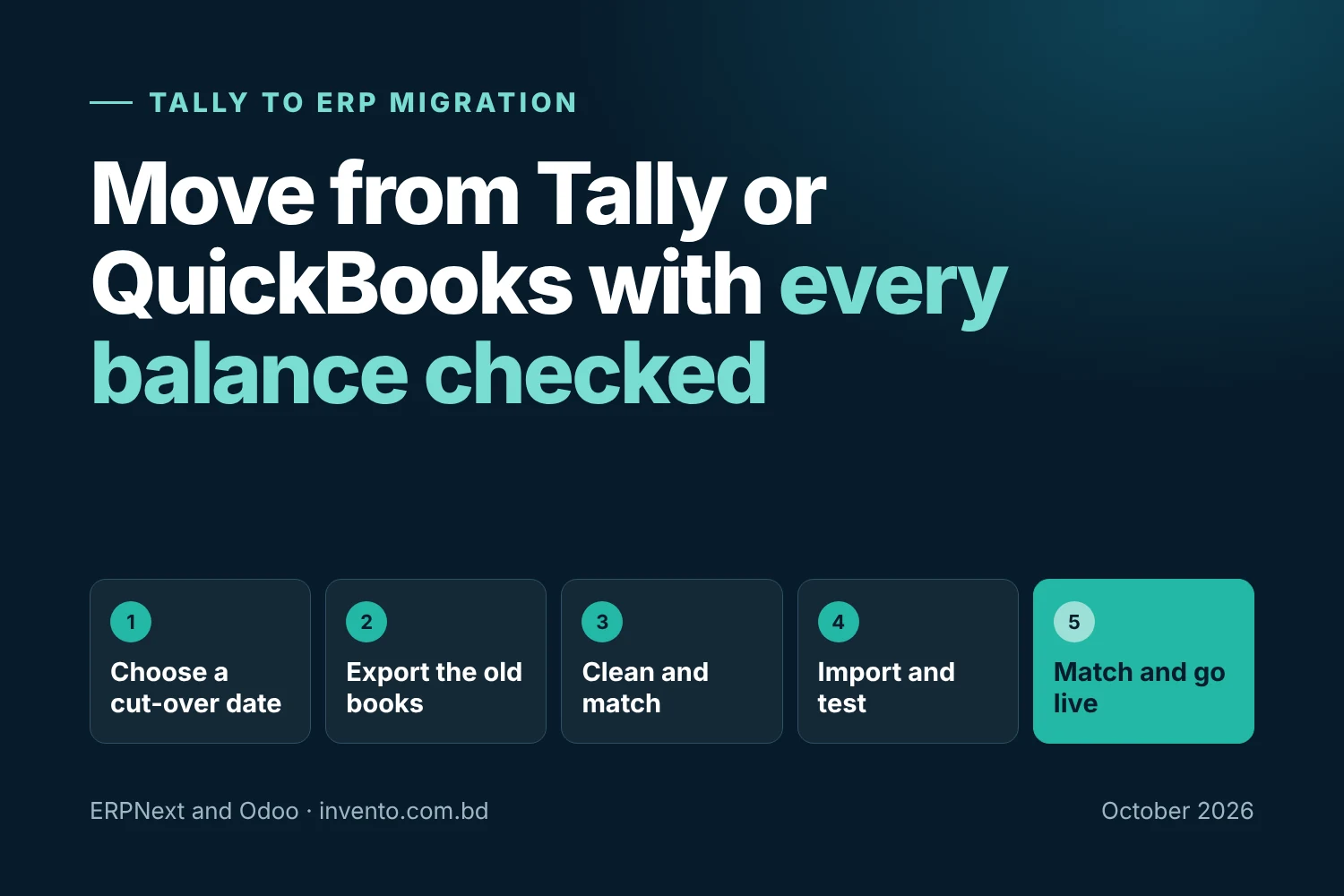
How hard is it to migrate historical financial data from Tally to ERPNext?
Invento Software Limited provides automated data migration pipelines that extract Chart of Accounts, opening trial balances, customer/supplier ledgers, and outstanding invoices directly from Tally XML exports, sanitizing and importing them into ERPNext with zero data loss.
Does ERPNext prevent backdated accounting entries after monthly closing?
Yes. Using the Period Closing Voucher and Role-Based Permissions, finance managers can lock transactions prior to a designated freeze date. Once locked, no user—regardless of permissions—can create, edit, or cancel accounting entries in the closed period without executive audit authorization.
How does ERPNext compare to Odoo in financial accounting?
Both platforms offer world-class double-entry accounting. However, in ERPNext, all advanced financial capabilities (multi-currency, budgeting, fixed assets, and consolidation) are 100% free and open-source without license fees. In Odoo, advanced accounting and bank synchronization are restricted behind the proprietary “Enterprise” paywall. Compare both in our ERPNext vs Odoo comparison.
Next Step: Consult with Certified ERPNext Financial Architects
Transform Your Corporate Financial Governance with Certified ERPNext
Eliminate financial closing delays, automate NBR VAT compliance, and gain real-time visibility into multi-company cash flow. Partner with Invento Software Limited—the official certified ERPNext partner in Bangladesh—to engineer an enterprise accounting architecture tailored to your business.