 ERPNext
ACE Advisory · ERPNext implementation
ACE Advisory’s next step after QuickBooks
ACE Advisory keeps the accounts and prepares tax returns for more than 100 client companies in Bangladesh.
QuickBooks supported the transactions, but Bangladesh VAT and tax work involved separate steps. Staff worked with client accounts, tax calculations and payment proofs across those steps.
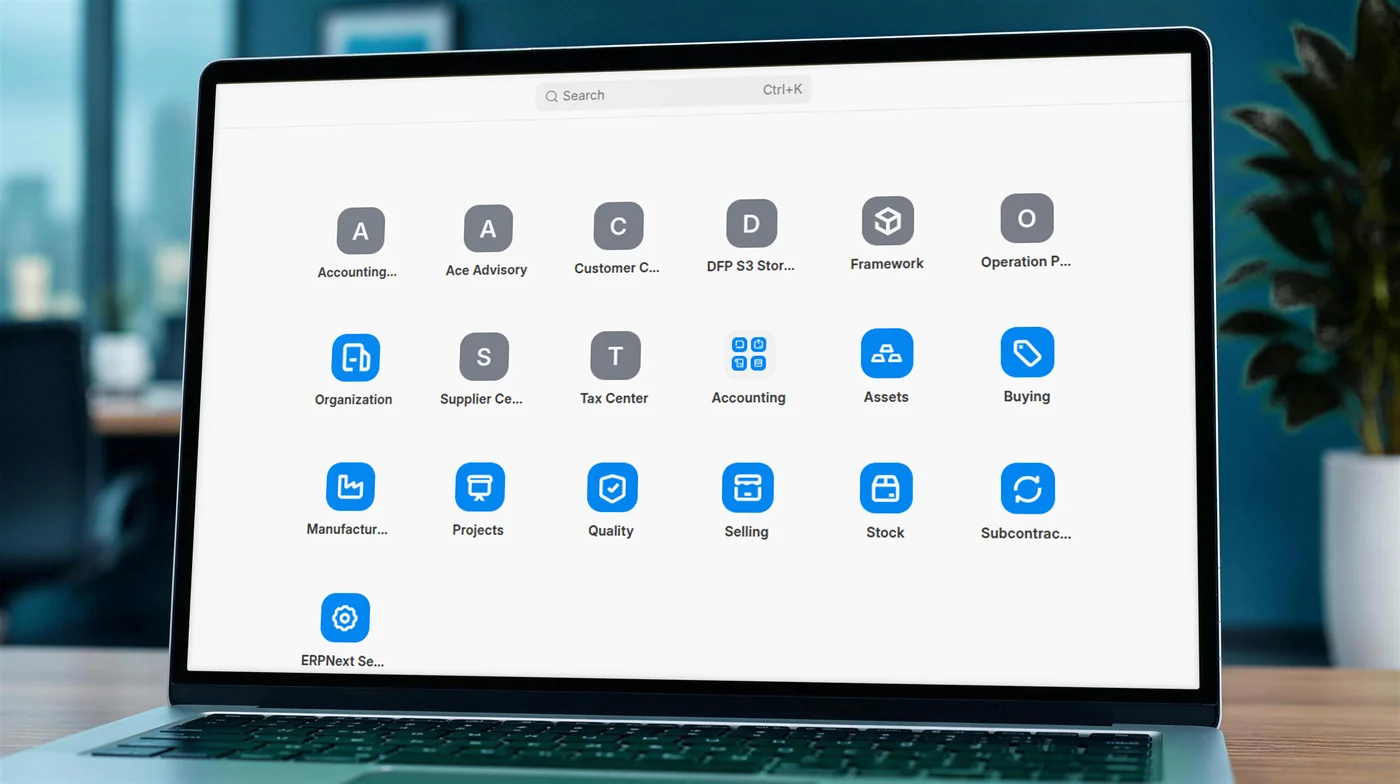
ACE Advisory and Tax Center sit inside ERPNext beside its standard accounting and business modules.
What ACE needed from ERPNext
ACE’s staff needed the right client records, tax calculations and supporting documents available together.
Reports had to match National Board of Revenue (NBR) formats.
ERPNext provided the accounting tools. We developed the custom Tax Center and NBR reports to connect ACE’s tax work with those records.

What the implementation covered
Accounting migration
Moved company records and transactions, mapped tax codes and checked balances before each company went live.
See the migrationPayment records
Connected payment challans and receipts to the relevant transactions.
See payment trackingCustom Tax Center
Brought tax advice, withholding, payments and supporting documents into ERPNext.
See the Tax CenterBangladesh tax reports
Built more than 25 reports in National Board of Revenue (NBR) formats from the accounting records.
Explore the reports
Moving the records, checking the balances
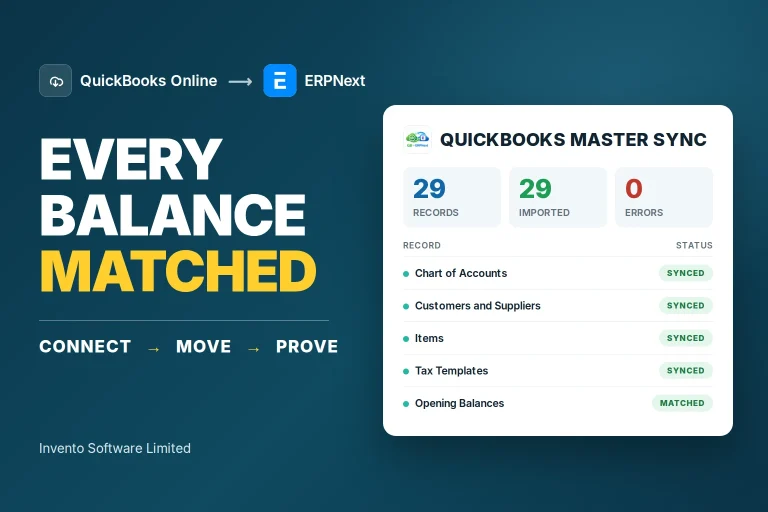
ACE needed its accounting history in ERPNext. We moved the chart of accounts, customers, suppliers, employees, items, opening balances and transactions, mapping each company’s tax codes to ERPNext tax templates.
Before each company went live, we compared balances account by account and party by party. A migration run could be rolled back and repeated.
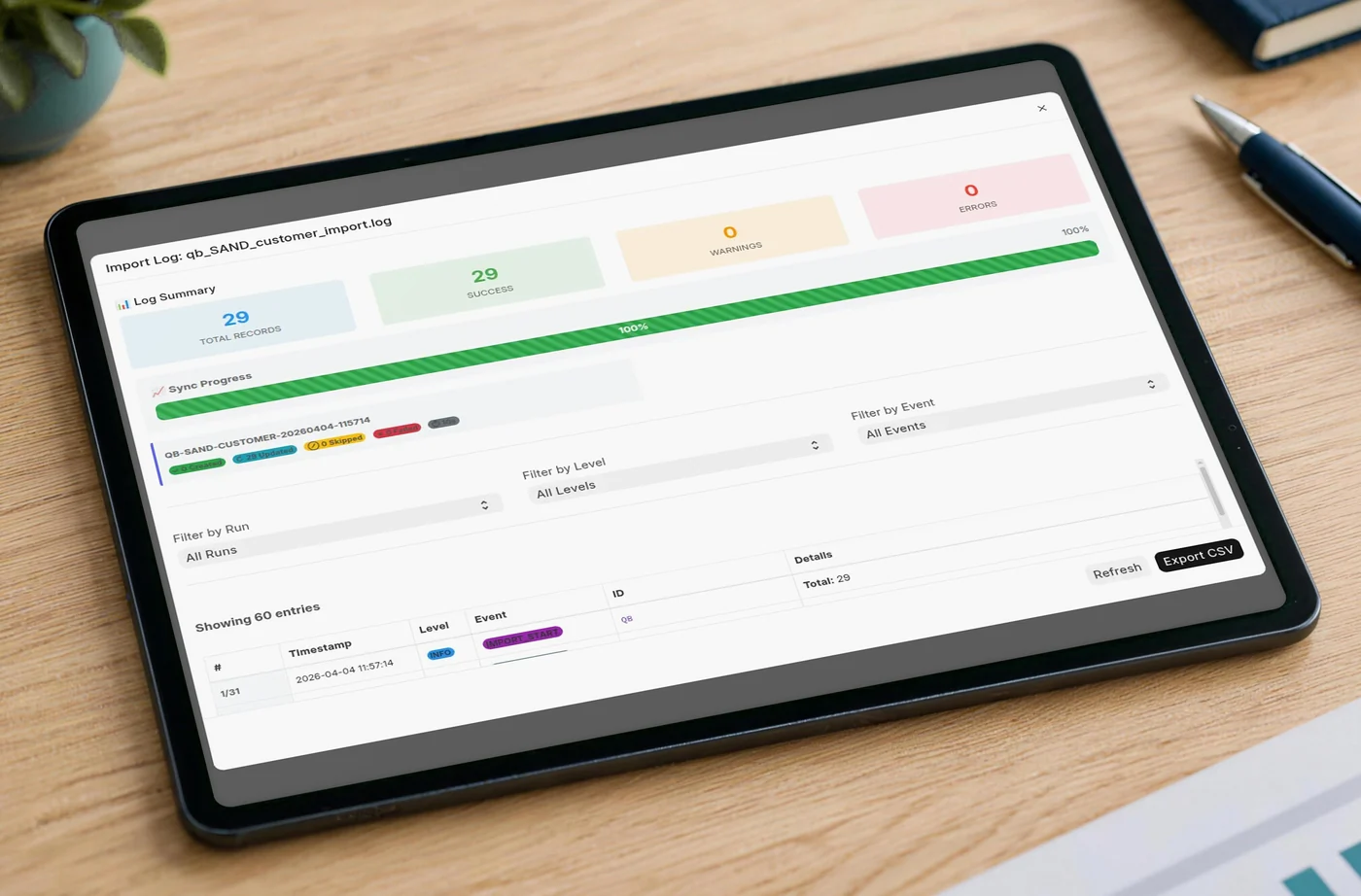
QuickBooks sandbox example, not ACE client data or a production migration result.
Bringing tax work into the accounting system
We built the custom Tax Center for VAT, advance income tax (AIT), withholding tax, payments and document tracking. Staff can track amounts collected, treasury deposits and the status of supporting documents. They attach payment challans or receipts to the relevant transactions.
Tax advice calculates deductions for each line and records the relevant legal reference. TDS covers tax deducted at source; VDS covers VAT deducted at source.
Staff can maintain the legal references and configured tax rates used in these calculations. When a rate changes, the updated setting is used for subsequent calculations on the relevant products or services.

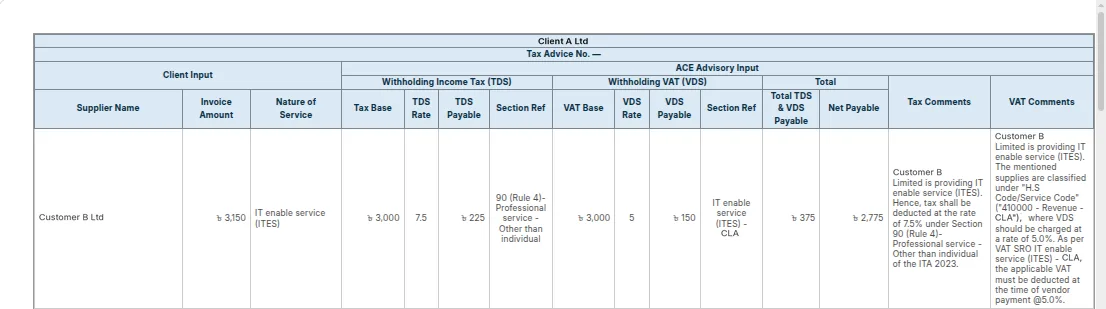
Scroll horizontally to inspect the calculation and reference columns. You can also focus it and use the arrow keys.
Tax documents from the daily books
ACE now runs its client companies in ERPNext, with more than 25 reports in NBR formats drawing on the same books used for daily accounting. Examples include the Mushak 6.1 purchase register, Mushak 6.2 sales register and Mushak 6.3 tax invoice. A posted invoice produces its tax invoice without a second entry.
We built the reports one at a time against official formats, then refined accounting rules as ACE used the system.
| Work | What staff can do |
|---|---|
| Withholding returns | Withholding tax returns are prepared in the system. |
| TDS and VDS | Staff can check TDS and VDS records, payment proofs and document status together. |
| Annual documents | Staff can gather the company’s annual VAT and tax documents from the system when preparing for an audit, instead of searching through separate files. |
Return preparation depends on complete, current records and staff review of the accounting period. Government submission remains a separate task, and staff still upload supporting payment proofs.
From accounting records to submission
- Posted accounting recordsInvoices and transactions are recorded in ERPNext.
- Custom NBR reportsReports draw on those posted records.
- Staff review and submitStaff check the records, upload payment proofs and submit separately.
Mushak 6.3 tax invoice
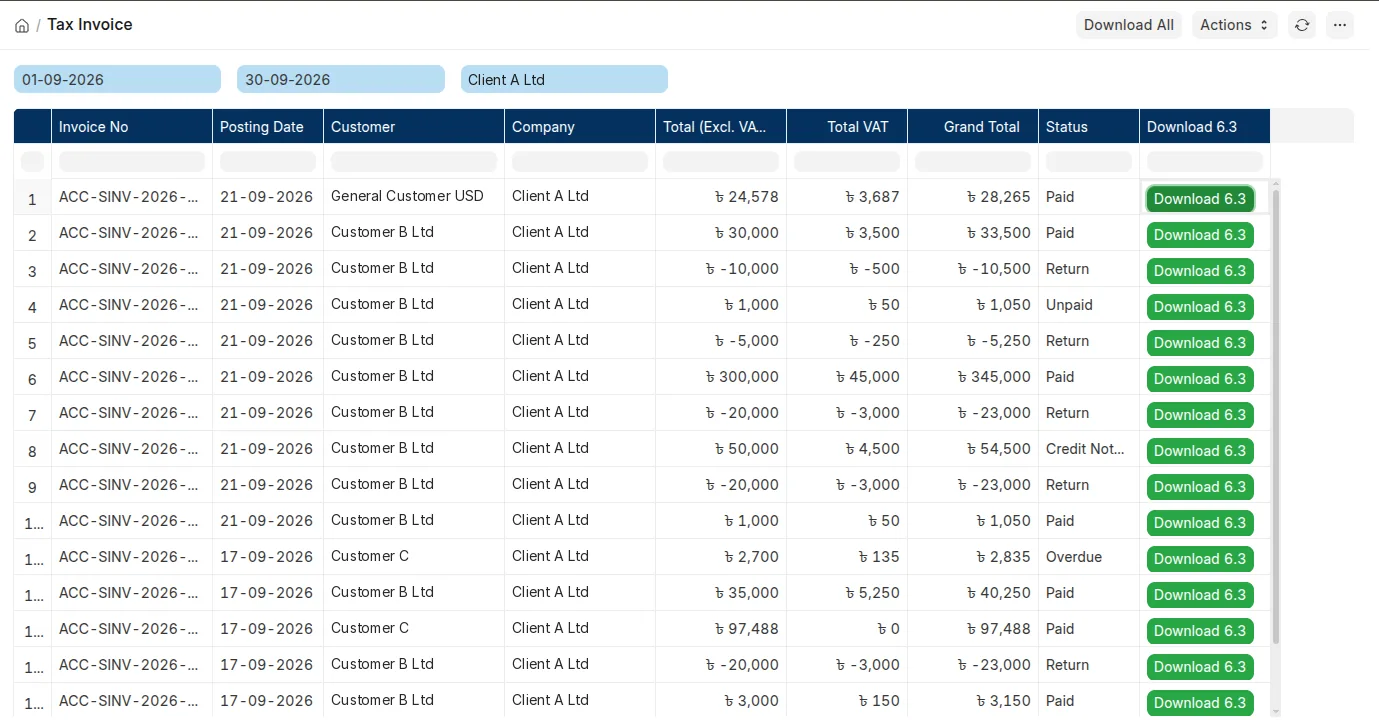
Scroll within the example to inspect its rows and columns. You can also focus it and use the arrow keys.
Generated from posted invoices. Demonstration values shown.
Other report examples
Mushak 6.6 VAT withholding certificate
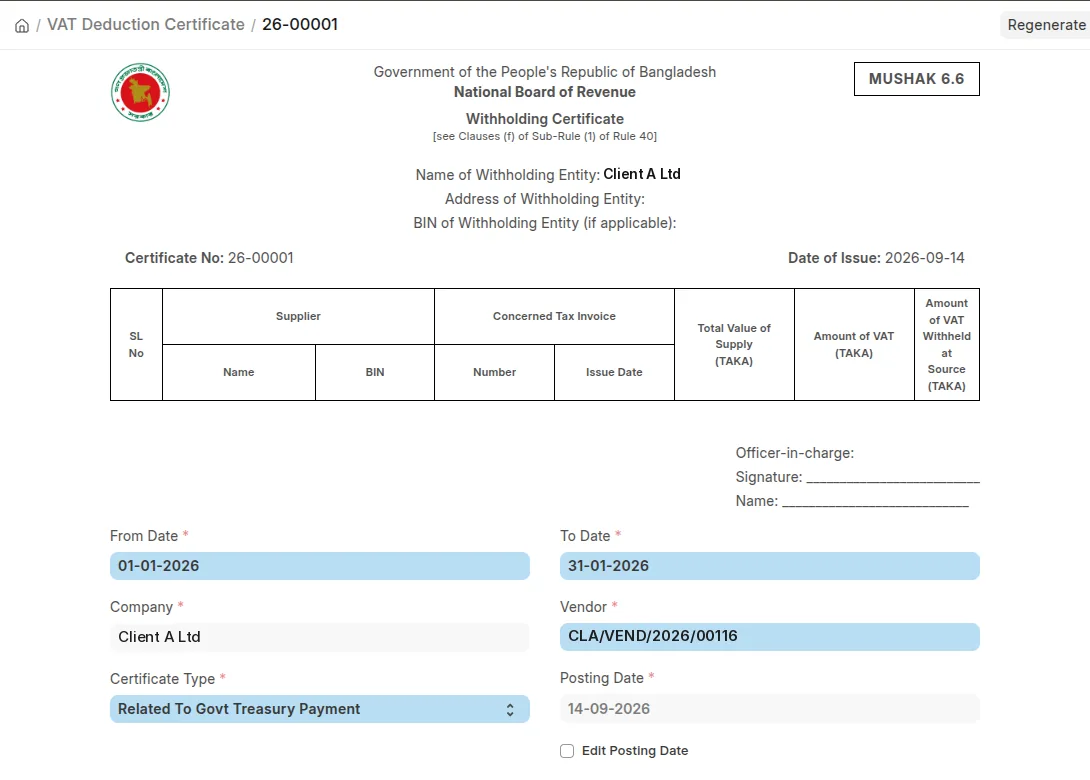
Scroll within the example to inspect its rows and columns. You can also focus it and use the arrow keys.
Vendor and date filters on the VAT withholding certificate. Demonstration values shown.
Mushak 6.10 purchase and sales report
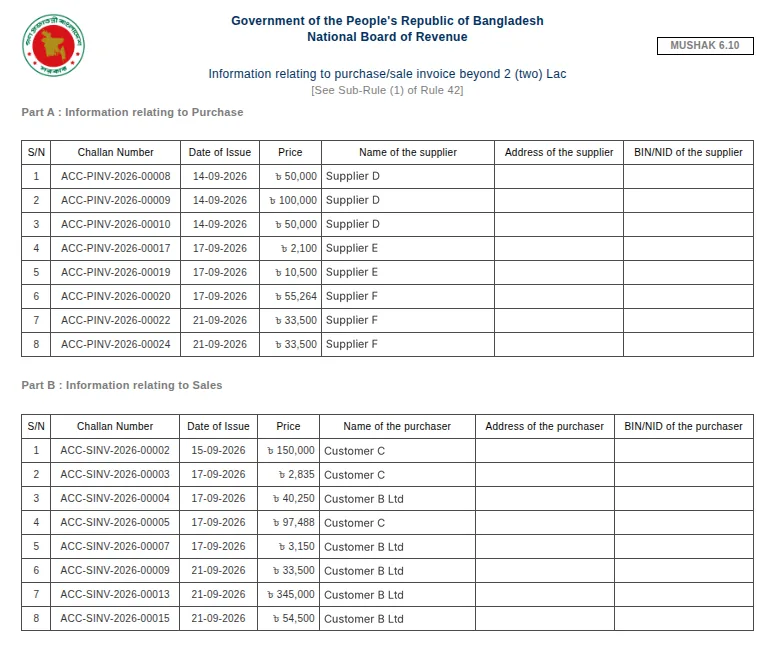
Scroll within the example to inspect its rows and columns. You can also focus it and use the arrow keys.
Invoice dates, references and amounts in the report layout. Demonstration values shown.
Mushak 6.2 sales register
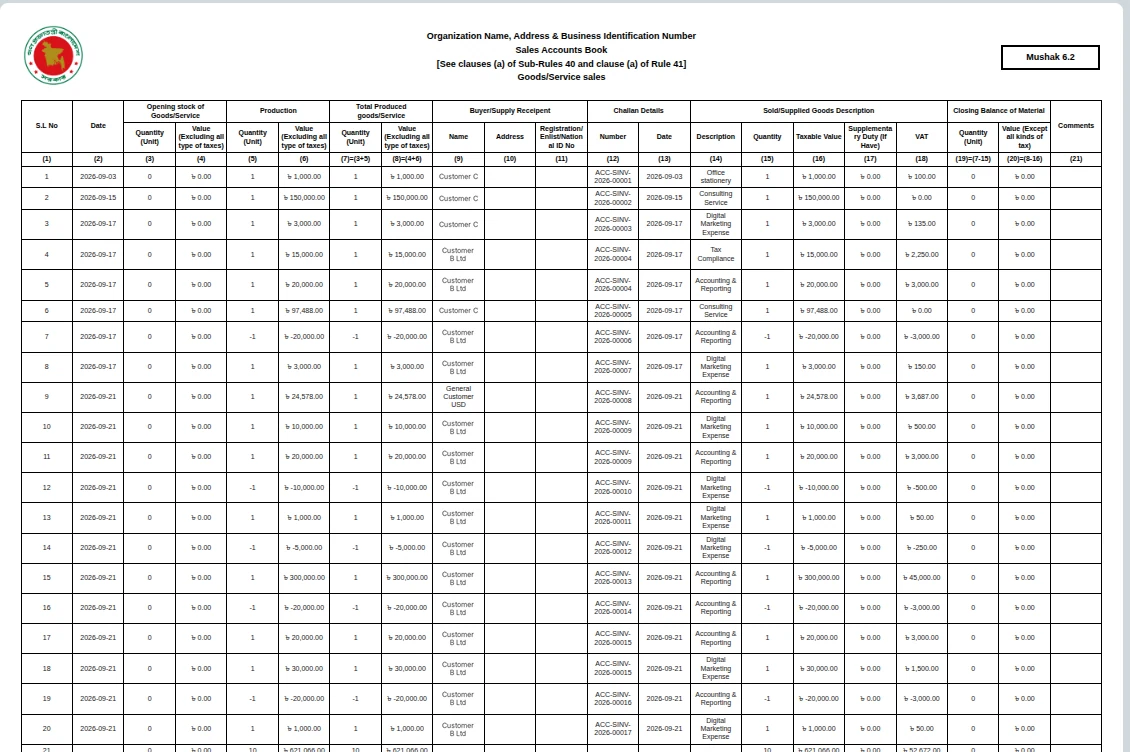
Scroll within the example to inspect its rows and columns. You can also focus it and use the arrow keys.
Sales register columns and entries. Demonstration values shown.
Your questions about accounting and tax in ERPNext
Can you connect our client accounting and tax work in ERPNext?
Your client accounts, tax calculations and supporting documents can be connected in ERPNext. For ACE, we combined accounting with a custom Tax Center and NBR reports. Your scope would depend on the tax work and reports you prepare for your clients.
Can you move our QuickBooks records into ERPNext?
We can assess your QuickBooks records for migration, including your chart of accounts, customers, suppliers, opening balances and transactions. What we bring across depends on your QuickBooks edition, the records available and the history you need. For ACE, the work included tax code mapping and balance checks before each company went live.
Would our tax workflow need custom development?
If you need the Tax Center and NBR reports shown here, those were custom additions for ACE. ERPNext provides the accounting tools. We would review your calculations, payment documents and required reports to identify the custom work your firm needs.
What would our team still need to do?
Your team would still review the accounting records and reporting periods, upload payment proofs and complete government submission. Preparing a report in ERPNext does not submit it to NBR automatically.
Discuss your accounting and tax workflow
If you manage accounting and tax for several client companies, tell us how you handle their books, payment proofs and returns. We can discuss how to bring that work into ERPNext and which parts would need custom development.