

Enterprise Power BI Consulting & Implementation in Bangladesh
Turn fragmented ERP, database, and spreadsheet data into automated, real-time executive dashboards. Invento designs secure, end-to-end Power BI pipelines that cut month-end reporting from days to hours, giving leadership immediate visibility into performance.
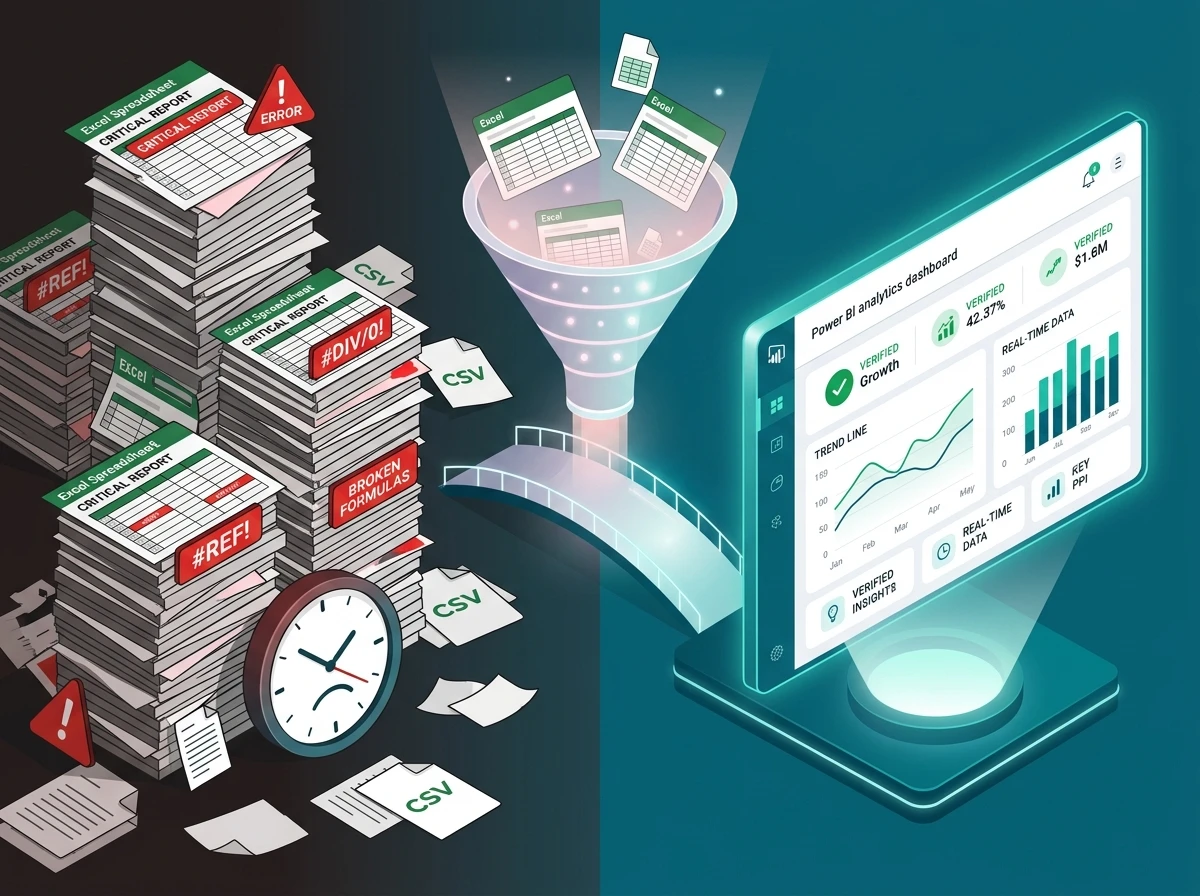
Why Traditional Reporting Fails Growing Businesses in Bangladesh
Most growing enterprises in Bangladesh run their core business on capable transactional systems like ERPNext, Odoo, SAP, or custom SQL databases — and rightly so, since these platforms are built to run day-to-day operations, not to answer analytical questions. The gap shows up when leadership asks for month-end performance numbers: without a dedicated reporting layer on top, the process still grinds into manual spreadsheet assembly.
Finance and operations teams spend up to eighty percent of their monthly reporting cycle exporting CSV files, cleaning mismatched tables, and troubleshooting broken lookup formulas. By the time leadership receives the final report, the numbers describe a period that ended days ago, too late to prevent stockouts, adjust pricing, or capture lost margins.
End-to-End Power BI Solutions Engineered for Enterprise Performance
Automated pipelines connect directly to your existing systems — no manual exports, ever.
Power BI workspaces, licensing (Pro, PPU, or Fabric), and enterprise governance are configured from day one, with data moving through an encrypted, scheduled sync.
Star Schema models and high-performance DAX measures power blended margins, aged inventory, year-to-date variances, and rolling forecasts.
Role-based dashboards let decision-makers filter by brand, branch, or category in seconds — protected by Row-Level Security so each viewer sees only what their clearance permits.
Specialized Business Intelligence for Bangladesh's Core Industries
With deep enterprise experience across Bangladesh’s core economic sectors, Invento designs domain-specific Power BI models that reflect how your industry actually operates. See our proven deployment at BestinBrands, where connecting ERPNext to Power BI cut report turnaround from 3–4 days to about 1 day across 100+ recurring reports.
Distribution
Retail
Manufacturing
Service
Agriculture
Education
Real Estate
Hospitality
Finance
Healthcare
Distribution
Retail
Manufacturing
Service
Agriculture
Education
Real Estate
Hospitality
Finance
Healthcare
Why Power BI for Enterprise Reporting
Uncover insights with AI
Turn your data into visuals with advanced data-analysis tools, AI capabilities, and a user-friendly report-creation tool.

Bring all your data together
Create datasets from any source and add them to the OneLake data hub to create a source of truth for your data.
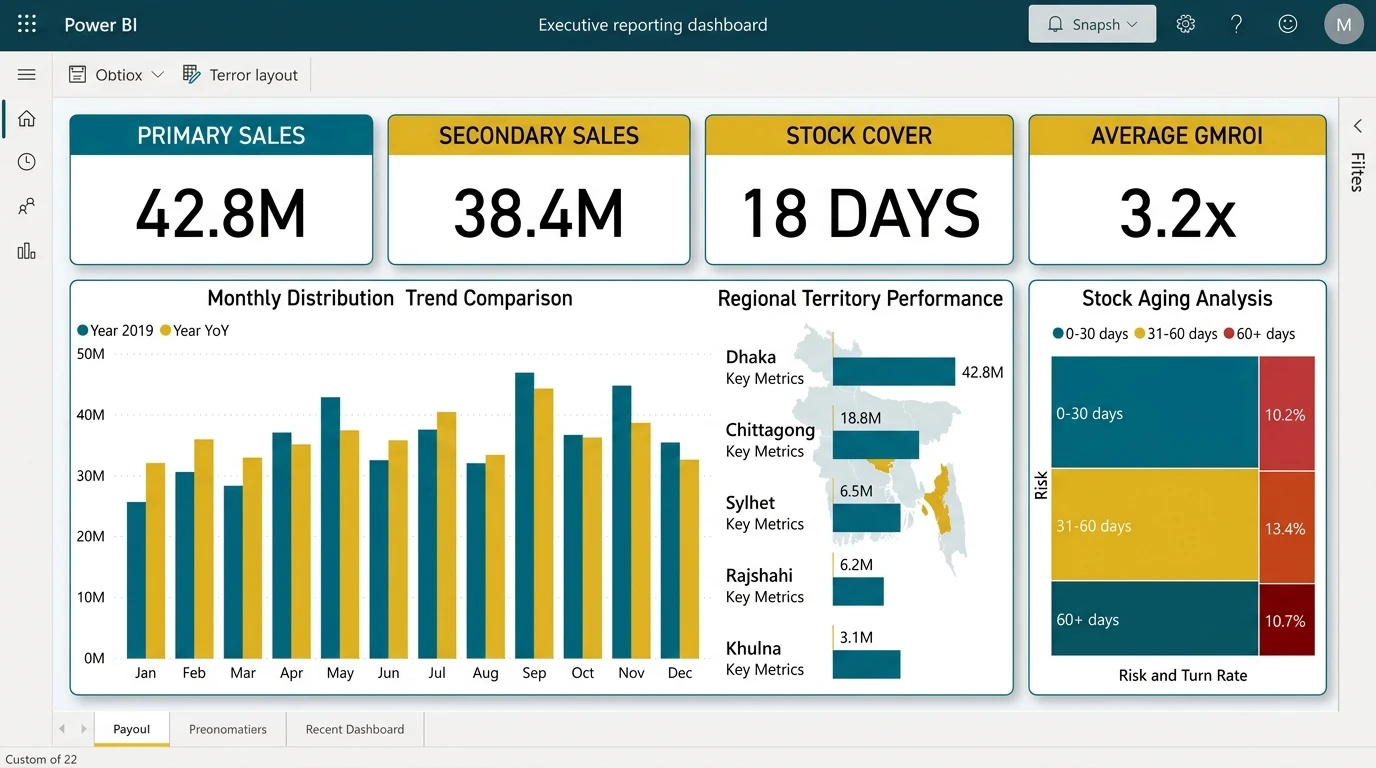
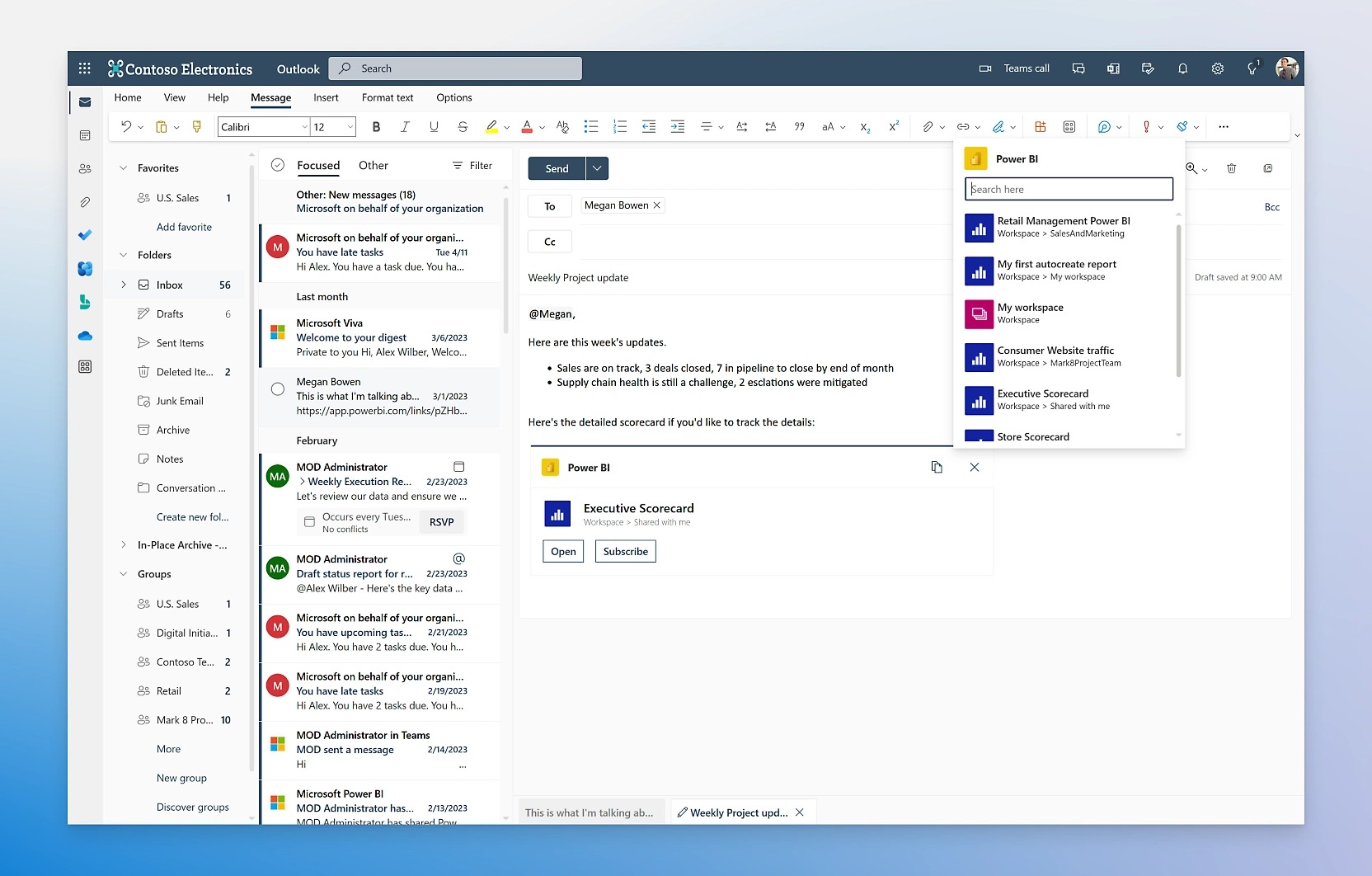
Turn insights into impact
Help users make better decisions by infusing insights into the apps you use every day, like those in Microsoft 365.
Empower every data team
Reshape how your organization accesses, manages, and acts on data by activating Microsoft Fabric in your Power BI experience.

Seamlessly scale as needed
Transform petabytes with enterprise-grade ingestion and semantic modeling in a tool that can scale across thousands of users.
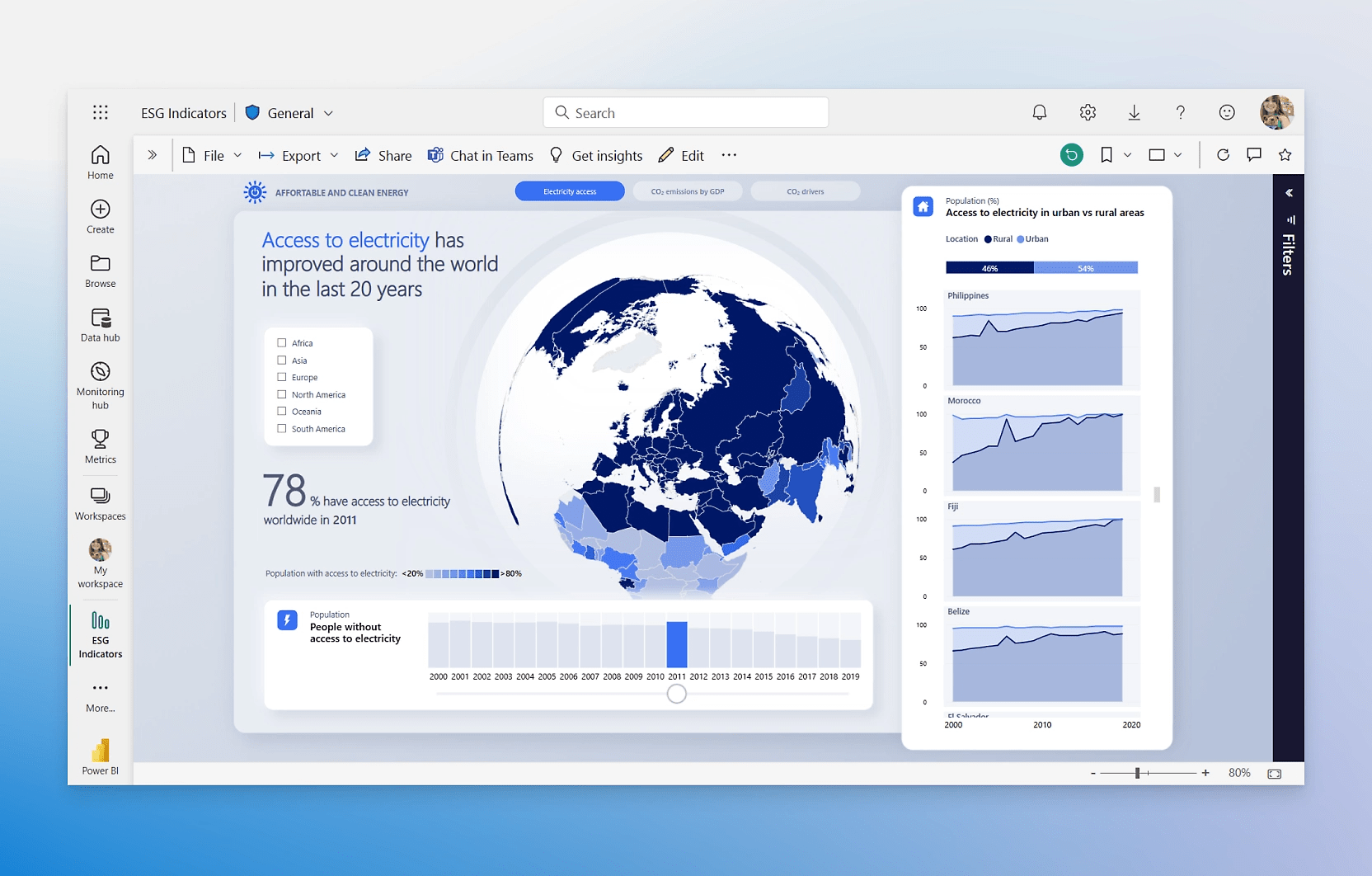
Share insights everywhere
Easily embed and share reports in your other Microsoft services, including Teams, PowerPoint, Excel, and Power Platform.
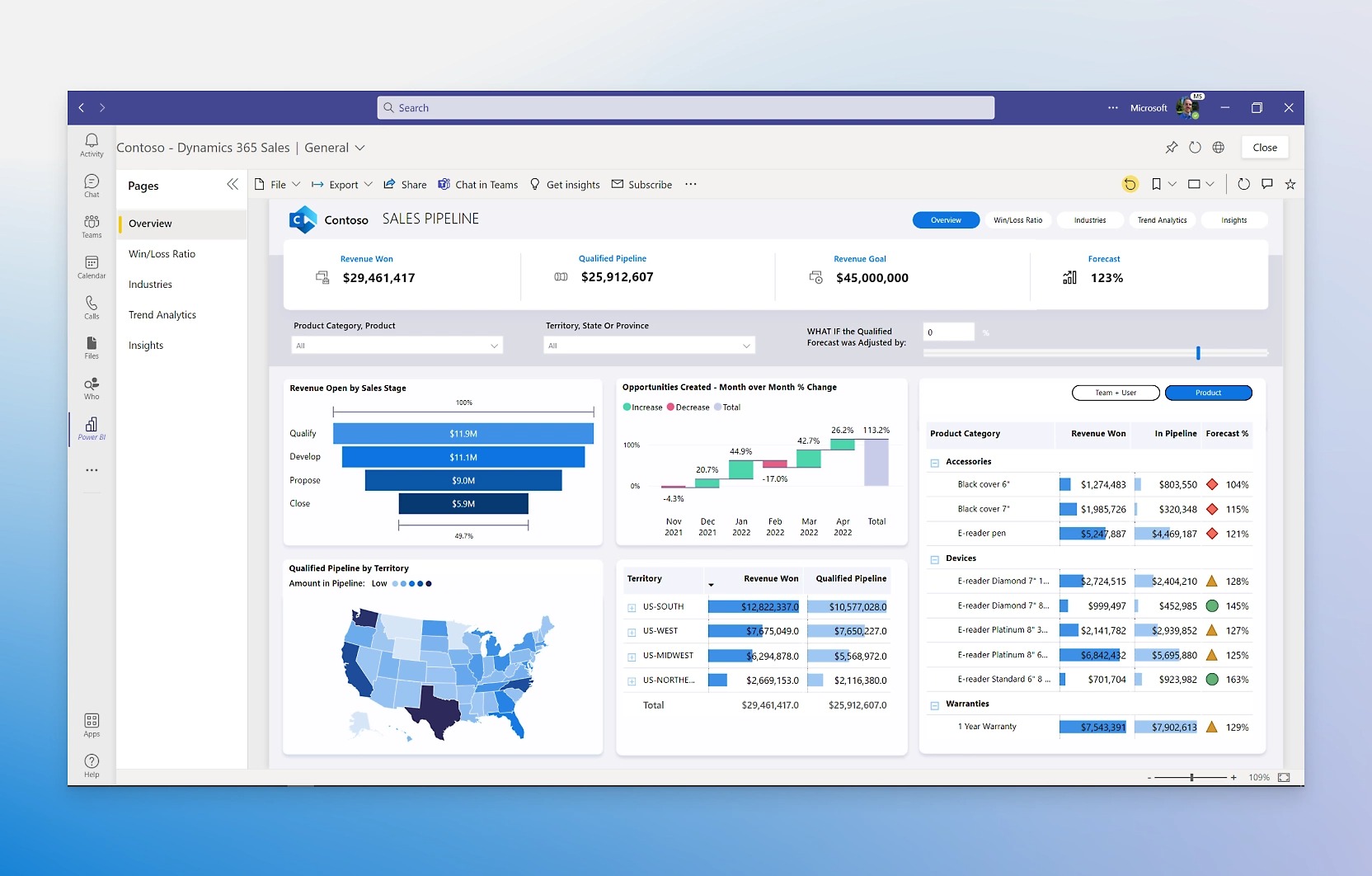
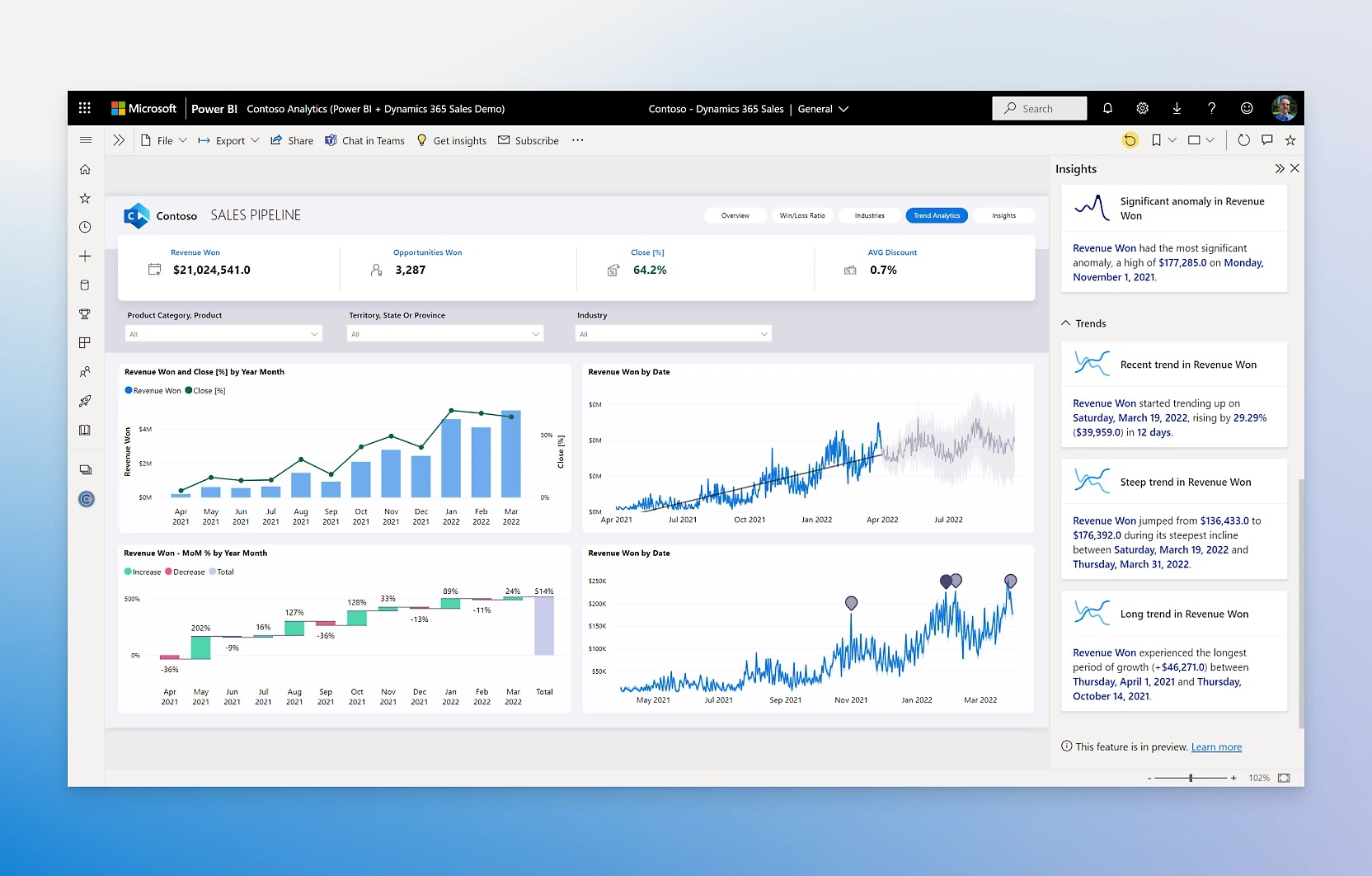
Get more done with AI
Employ easy-to-use AI features that can find patterns in data, create reports instantly, provide answers, and more.
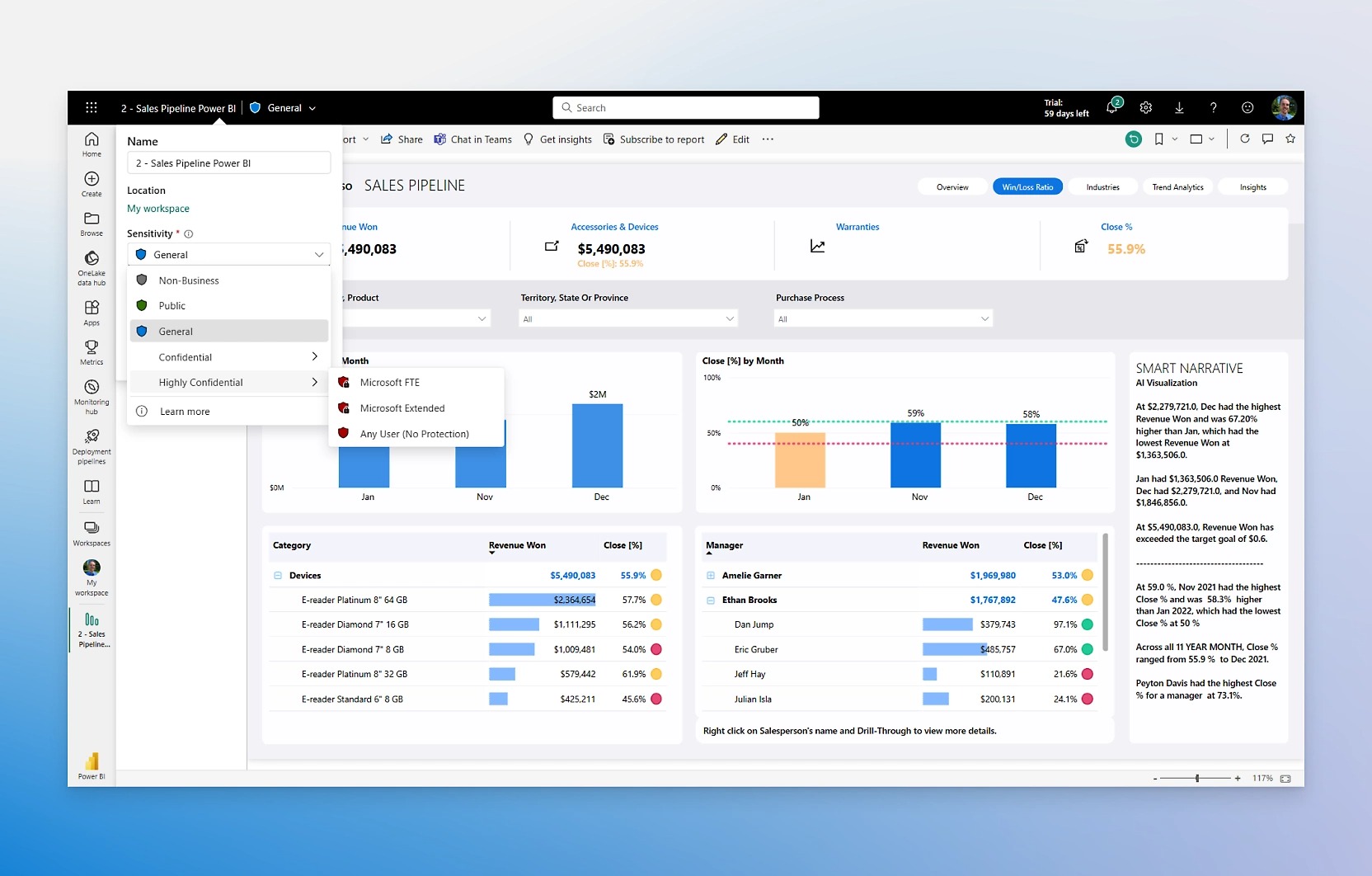
Govern and protect data
Meet your requirements and gain end-to-end visibility with Microsoft governance, security, and compliance.
Why Leading Companies in Bangladesh Partner with Invento
Enterprise Data Architecture
Robust data extraction, transformation, and loading (ETL) pipelines connecting disparate ERP, CRM, and accounting databases.
Executive Dashboard Training
Hands-on workshops for department heads and executives, teaching interactive filtering, drill-downs, and automated report exports.
Transparent Consulting Scoping
Clear milestone pricing based on data source complexity, custom DAX metrics, and dashboard count with zero hidden licensing fees.
Custom DAX & Financial Modeling
Advanced business metrics, cash-flow forecasting, sales variance analysis, and automated financial ratio calculations.
Accelerated Dashboard Deployment
Rapid modeling utilizing proven star-schema architectures and pre-built analytical frameworks tailored to your industry.
Ongoing Analytical Governance
Scheduled data refresh monitoring, gateway maintenance, query performance tuning, and new metric development support.
Enterprise Security & Row-Level Filtering
Granular Row-Level Security (RLS) ensuring managers and department leads access only their authorized operational data.
Collaborative Sprint Delivery
Bi-weekly stakeholder reviews and interactive dashboard prototyping ensuring reports directly answer executive business questions.
Trusted by


Frequently Asked Questions About Power BI in Bangladesh
Can Power BI connect directly to our on-premises ERP or local server without exposing our database to the public internet?
Yes. We deploy the official Microsoft On-Premises Data Gateway inside your local network. The gateway creates an outbound, encrypted TLS connection to the Power BI Cloud Service, allowing scheduled data refreshes without opening inbound firewall ports or exposing your internal database to the public internet.
How should an enterprise choose between Power BI Pro, Premium Per User (PPU), and Microsoft Fabric?
For most small to mid-sized organizations with under 300 users, Power BI Pro licenses provide complete self-service reporting and sharing capabilities. If your organization requires large semantic models exceeding 1 GB, AI features, or more frequent refreshes (up to 48 times daily), Premium Per User (PPU) is the recommended path. For large enterprise data estate modernization across petabytes of data, we guide organizations into Microsoft Fabric capacities.
Can we restrict branch managers from viewing other branches' financial and sales figures?
Yes. We implement dynamic Row-Level Security (RLS). When a user logs in with their corporate email, Power BI evaluates their organizational clearance and filters the underlying data tables in real time. Regional managers only see their designated territories, while executive directors maintain full national visibility.
Will running Power BI queries slow down our transactional ERP system?
No, provided the data pipeline is architected correctly. Invento avoids running heavy direct queries against live transactional tables during peak business hours. We configure scheduled incremental refreshes during off-hours, utilize database indexing, or extract data from read-only replicas, keeping your daily transactional operations fast and uninterrupted.
How long does a typical Power BI project take from kickoff to go-live?
A standard departmental dashboard deployment (for example, Sales and Inventory intelligence) typically takes three to four weeks. A comprehensive enterprise-wide implementation covering finance, manufacturing, distribution, and multiple data sources usually spans five to eight weeks.
Will our internal team be able to maintain and modify the dashboards after Invento hands over the project?
Yes. Complete knowledge transfer and source ownership are core pillars of our service. We provide well-documented DAX measures, clean data dictionary references, and dedicated training for your in-house analysts so your team can build new visuals and adjust filters independently.
Stop Waiting Days for Month-End Reports. See Power BI in Action.
Book a complimentary 30-minute Business Intelligence readiness consultation. Our senior data architects will review your current data sources, demonstrate relevant enterprise dashboards, and outline a tailored roadmap for your organization.
Request a Free BI Consultation
We use your details only to reply to this enquiry - we do not sell them or add you to a mailing list. Privacy Policy.